
How to Improve Email Deliverability: A 30-Day Playbook for SaaS, Ecommerce & B2B
Key Takeaways
- “Improve email deliverability” doesn’t mean tweaking subject lines – it means fixing the system that decides whether you land in inbox, Promotions, or spam.
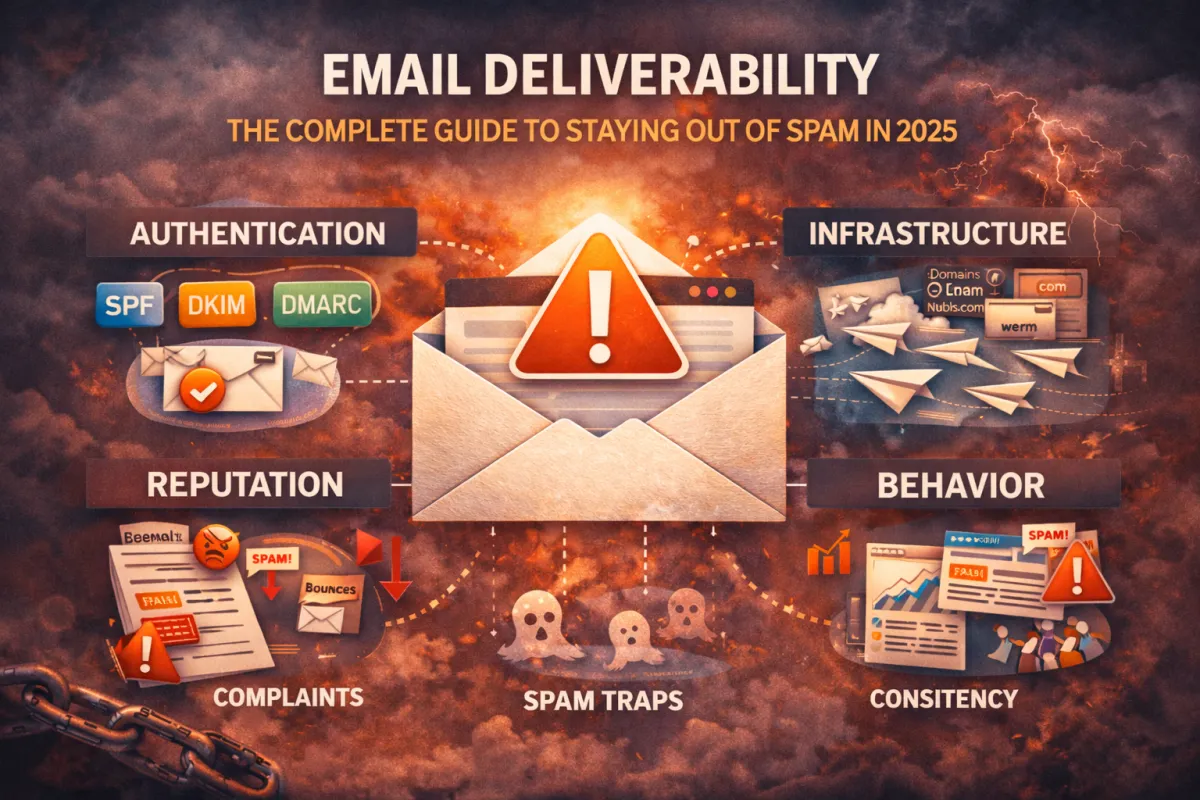
- Inbox providers judge you on authentication, infrastructure, reputation, and behaviour – not just content.
- Most teams overuse “email deliverability tools” and underuse common sense: clean lists, warm domains, consistent sending, and relevant content.
- A simple 30-day plan can move you from “something’s wrong” to a stable, scalable deliverability baseline.
- After those 30 days, a light weekly/monthly routine keeps your emails out of spam and your revenue flowing.
You’ve probably already searched “email deliverability,” tried a few “email deliverability checker” tools, maybe even ran your campaigns through an email spam tester.
And yet…
- Opens still look weak.
- Gmail keeps shoving you into Promotions.
- Some campaigns tank for no obvious reason.
At some point you realise:
“I don’t need more theory. I need a clear plan to improve email deliverability over the next month.”
That’s exactly what this guide is.
This isn’t a giant wall of jargon. It’s a 30-day playbook built for teams who actually send at scale:
- SaaS and product companies
- Ecommerce and subscription brands
- B2B teams doing outbound and nurture
We’ll walk through:
1. What to fix first (Week 1)
2. How to protect your reputation and list (Week 2)
3. How to send like a pro instead of a spam cannon (Week 3)
4. How to tune content + testing so you stay out of trouble (Week 4)
5. How to turn this into a simple ongoing routine
You can pair this with your deeper Email Deliverability Guide as the “how to actually do it” implementation piece.
PART 1: Week 1 – Fix the Foundation (Auth + Domains)
If inbox providers can’t clearly verify who you are and what is allowed to send for your domain, everything else is built on sand.
This first week is about one thing:
Making your technical foundation boringly correct.
Step 1: Audit SPF, DKIM, and DMARC
These three are non-negotiable:
- SPF (Sender Policy Framework) – Declares which servers can send mail for your domain.
- DKIM (DomainKeys Identified Mail) – Adds a cryptographic signature so inbox providers know the email wasn’t altered.
- DMARC (Domain-based Message Authentication, Reporting & Conformance) – Tells inboxes what to do when SPF/DKIM fail and gives you reports.
Your job in Week 1:
1. List every platform that sends email for you
- ESP (Klaviyo, Braze, HubSpot, etc.)
- CRM
- Support tools
- Cold email tools
- Transactional services
2. For each one, confirm:
- SPF includes their sending servers correctly
- DKIM is set up and passing
- DMARC exists on your root domain (even if it’s just p=none in the beginning)
You can absolutely use an email deliverability checker or email deliverability tester to help here – just remember they’re there to confirm your work, not replace it.
If you send everything from one domain with no structure, you’re making life harder than it needs to be.
For most serious senders, a simple pattern works:
- yourbrand.com – main website + transactional mail
- news.yourbrand.com – marketing/lifecycle campaigns
- outbound.yourbrand.com – cold email (if you’re doing it at scale)
The goal isn’t to hide. It’s to:
- Separate risk (if one stream has issues, it doesn’t drag down everything)
- Give each sending stream its own warm-up, volume, and reputation profile
In Week 1, define:
- Which domain/subdomain will send what
- Where you might need to add or split domains to stay safe as you scale
Step 3: Fix Obvious Red Flags
As you go through:
- Remove old, unused ESPs from SPF records
- Close down ancient sending subdomains you’re not using
- Make sure no internal testing tools are still firing real sends from production domains
By the end of Week 1, your technical base should be:
- Authenticated
- Organised
- Under control
Now you’re ready to fix the part that quietly kills most senders: the list.
Step 3: Monitor Key Reputation Signals
Set a baseline this week:
- Open rate by segment
- Bounce rate on new campaigns
- Spam complaint rate
If you start seeing:
- Opens improving in Engaged/Warm
- Complaints staying low
- Bounces dropping after cleaning
…you know Week 2 is working.
PART 2: Week 2 – Clean Your Lists & Protect Reputation
You can’t “improve email deliverability” on top of a dirty list.
Inbox providers watch how people react to your emails:
- If they bounce, you look sloppy.
- If they ignore you, you look irrelevant.
- If they complain, you look dangerous.
Week 2 is all about stopping that damage.
Step 1: Run a Real List Hygiene Pass
Start with your main marketing/lifecycle lists.
For each:
1. Run addresses through a validator (there are many; choose one you trust).
2.Remove or suppress:
- Hard bounces
- Obvious role addresses you don’t want (info@, admin@, etc., if they aren’t valuable for you)
- Known spam traps if your provider flags them
You’ll lose some volume. That’s fine.
You’re trading quantity for quality – and quality drives reputation.
Step 2: Segment by Engagement, Not Just Tags
Most ESPs let you slice by:
- Last open
- Last click
- Recent purchase
- Signup date
Use that to build three simple segments:
- Engaged – opened or clicked in the last 30–90 days
- Warm – no recent engagement, but not ancient
- Cold/at-risk – very old or unengaged subscribers
From now on:
- Send most campaigns to Engaged first
- Treat Warm more gently (less frequency, more value)
- Use Cold only for specific re-engagement flows – not your weekly blasts
PART 3: Week 3 – Fix Sending Patterns & Scale Smart
Now that your foundation and lists are in better shape, we fix how you behave as a sender.
This is where a lot of SaaS, ecommerce, and outbound teams accidentally look like spammers-without meaning to.
Step 1: Choose a Realistic Cadence
Inconsistent sending is a quiet killer.
- Sending daily for two weeks, then going silent for a month
- “Remembering” your list only when you have a sale
- Hammering everyone during launches and ignoring them in between
Instead, design:
-A baseline frequency (e.g. 1–3 campaigns/week for Engaged, fewer for Warm)
- A set of always-on flows (welcome, post-purchase, onboarding, win-back)
- A rule for “big sends” (how often you can broadcast to a broad segment)
Publish this internally. Treat it like an email calendar, not an afterthought.
Step 2: Stagger Volume and Respect Warm-Up
If you’re increasing volume (or starting cold outbound), you can’t just flip a switch.
- Ramp up daily sends gradually
- Add new domains/mailboxes in controlled phases
- Prioritise engaged and recent contacts during early stages
For example, going from 10,000 to 50,000 sends per week might look like:
- Week 3: 10k → 20k
- Week 4: 20k → 30k
- Week 5: 30k → 40k
- Week 6: 40k → 50k
Watch metrics at each step. If opens tank or bounces spike, pause and diagnose before pushing harder.
Step 3: Separate High-Risk Flows
Not all sends are created equal.
- Re-engagement blasts to cold audiences
- Big “one-time” promotions
- Aggressive outbound campaigns
These are more likely to draw low engagement and complaints.
Whenever possible:
- Isolate them on distinct segments and, ideally, distinct subdomains
- Keep volumes lower
- Follow them with high-value, non-promotional messages to help your reputation recover
By the end of Week 3, your sending should feel more like a heartbeat and less like a series of jolts.
PART 4: Week 4 – Tune Content & Test Like a Pro
Only now do we give content the attention it deserves.
Most teams do this backwards: they obsess over subject lines while their domains smolder in the background.
In Week 4, you’re tuning content and incorporating email deliverability tools properly.
Step 1: Simplify Templates
Heavy, over-designed templates can cause problems:
- Too many images and minimal text
- Bloated HTML from years of copy-pasting
- Excessive tracking links or buttons
Clean them up:
- Keep a healthy text-to-image ratio
- Use fewer, clearer CTAs
- Start from a clean template if your current one is a Frankenstein’s monster
This doesn’t mean “plain text only.” It means respect the inbox.
Step 2: Reduce Spammy Patterns
Content doesn’t have to be sterile. But you should avoid looking like a sketchy promo.
Watch for:
- ALL CAPS subject lines and body copy
- Endless “Last Chance!!!” style urgency
- Overuse of exclamation marks and hard-sell phrasing
- Random attachments from unknown addresses
You’re building a reputation with both humans and algorithms. Keep that in mind every time you hit send.
Step 3: Use Email Deliverability Tools the Right Way
This is where your email deliverability checker, email deliverability tester, and email spam testing tools earn their keep.
For your main templates:
- Run them through a deliverability tool to check auth, structure, and spam signals
- Send to a seed list (or your own test inbox set) to see inbox vs Promotions vs spam
- Document the results and changes you make
The goal is not to chase a “100/100 score.”
The goal is to use these tools as part of a feedback loop:
Draft → Test → Adjust → Retest → Ship → Monitor real-world metrics.
Step 4: Align Content With Segments
You’ve already segmented by engagement. Now make sure content matches:
- Engaged segment: more frequent, more advanced offers, product education, case studies
- Warm segment: value-heavy, trust-building, softer CTAs
- Cold/at-risk: re-introduction, “are you still interested?”, low-frequency check-ins
Relevant content = better engagement.
Better engagement = stronger deliverability.
This is the compounding effect you’re after.
PART 5: Turn This Into a Sustainable Deliverability Routine
Once you’ve gone through the 30-day plan, you don’t “set and forget.”
But you also don’t need a massive ongoing project.
You just need a simple, repeatable routine.
Weekly Routine
- Check open, click, bounce, and complaint rates for key segments
- Spot-test new templates or big sends with a small group first
- Keep an eye on any sudden drops in engagement
Time cost: ~20–30 minutes per week.
Monthly Routine
- Run an email deliverability checker / email deliverability tools pass on your major sending domains
- Clean inactive / at-risk contacts based on your rules
- Review domain and subdomain usage: is anything overloaded?
- Refresh your most important flows (welcome, abandoned cart, onboarding) if needed
Time cost: a few focused hours.
Quarterly Routine
- Revisit your overall email strategy: volume, cadences, segmentation
- Audit your full infrastructure and authentication again
- Review performance by provider (Gmail vs Outlook vs corporate domains) if data is available
Time cost: one working session, once a quarter.
Over time, this turns email deliverability from a fire drill into… infrastructure:
- Boring
- Predictable
- Quietly printing money in the background
When You’d Rather Have Someone Own This for You
If you’re sending a weekly newsletter to 300 people, this is overkill.
But if you:
- Run a SaaS or app where onboarding emails and product updates drive usage and upgrades
- Operate an ecommerce or subscription brand where email is a major revenue line
- Run outbound at scale (multiple domains, thousands of cold emails/day)
…then deliverability is not “nice to have.” It’s revenue insurance.
At some point, the cost of figuring this out alone outweighs the cost of help.
That’s where we come in.
We work with SaaS, ecommerce, and B2B teams to:
- Audit their full email infrastructure (SPF, DKIM, DMARC, domains, IPs, tools)
- Run real-world email deliverability tester workflows and inbox placement tests
- Design domain & list strategies for safe scaling
- Implement warm-up, list hygiene, and sending patterns that actually last
- Monitor key signals so problems are caught early, not after a quarter of bad performance
If this feels important but overwhelming, you don’t have to untangle it alone.

Ready to improve email deliverability the right way?
FAQs
1. What is email deliverability in simple terms?
Email deliverability is your ability to consistently land in the inbox (not spam or Promotions) of people you send to. It’s less about “was the email sent” and more about “did the recipient realistically see it?”
2. Do I need special email deliverability tools?
You don’t need every tool on the market, but you do need at least one reliable email deliverability checker and, ideally, a way to run seed tests. Tools give you visibility; your strategy does the actual fixing.
3. How long does it take to improve email deliverability?
Basic fixes can show results within a few sends. Rebuilding a damaged reputation and warming domains properly usually takes weeks to a few months, depending on how bad things were and how much you’re sending.
4. Can I fix deliverability just by changing subject lines and content?
Not if the real issues are infrastructure, authentication, or list quality. Content tuning helps, but it should come after you’ve fixed the underlying system.
5. Is it worth separating domains for different types of email?
In most serious setups, yes. Using distinct domains/subdomains for cold outbound, marketing, and transactional email gives you better control, clearer diagnostics, and reduced risk if one stream has problems.
© High Performing Emails, The Grow Revenue Company Inc. 2026 All Rights Reserved.