
Email Deliverability Tools: How to Use Checkers & Testers Without Getting Lost in Scores
Key Takeaways
- Email deliverability tools are powerful – but they only show one slice of your sending reality.
- A single “email deliverability checker” score is not truth. It’s a signal you need to interpret in context.
- The most reliable approach combines: auth/DNS tools, inbox placement tests, spam/content checks, and live performance data.
- Tools don’t fix anything by themselves. You fix things by changing domains, lists, sending patterns, and content.
- A simple workflow turns tool chaos into a clear loop: Test → Adjust → Send → Measure → Repeat.
You’ve probably been here:
You run your campaign through three different email deliverability tools.
One says you’re “Excellent.”
One warns you about spam words.
One gives you a depressing 63/100 score you don’t fully understand.
You hit send anyway… and Gmail still buries you in Promotions, Outlook ignores you, and your revenue doesn’t move.
At some point you realise:
“I don’t need more tools. I need to understand what they’re actually telling me—and what to do next.”
This guide is for that moment.
It’s written for teams where email is not a side project:
- SaaS and B2B product companies
- Ecommerce and subscription brands
- Teams running outbound, newsletters, and lifecycle at real volume
We’ll walk through:
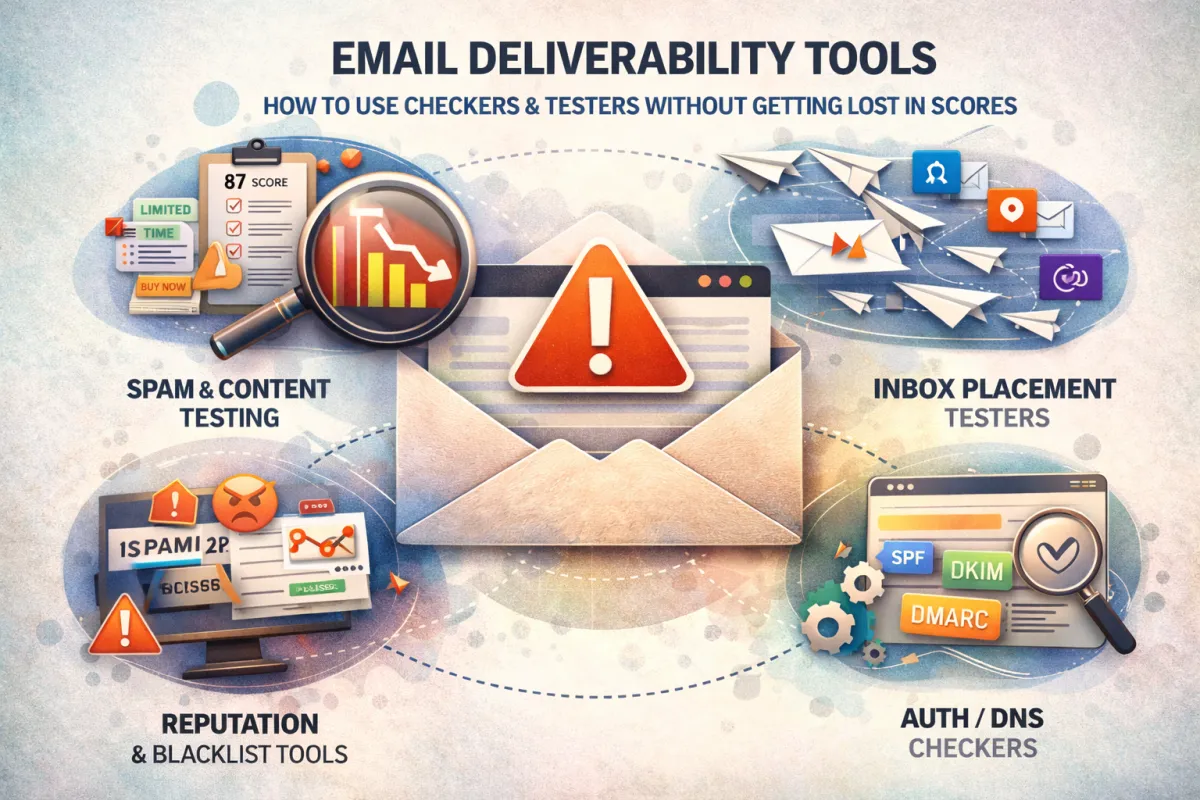
- The 4 types of email deliverability tools (and what they’re really for)
- Why scores rarely match – and why that’s fine
- A practical workflow for using checkers and testers without losing your mind
- The common mistakes that quietly destroy deliverability (even with tools)
- When to stop DIY’ing and bring in a proper deliverability audit
By the end, you’ll know how to use tools to protect and grow revenue, not just collect scores.
PART 1: The 4 Types of Email Deliverability Tools (and What Each Is Actually For)
Most marketers treat “email deliverability tools” as if they’re one category.
They’re not.
They fall into four very different buckets, and confusion starts when you expect one tool to do the job of all four.
1. Content & Spam Testing Tools
These are the tools most people find first.
You paste in your email, or send a test, and they tell you things like:
- “Your spam score is X/100”
- “These phrases may trigger filters”
- “Your HTML is heavy / broken / messy”
They’re useful for:
- Catching obvious spammy signals
- Identifying broken links or weird formatting
- Spotting bloated code from overdesigned templates
But they’re limited because:
- They don’t see your real sending behaviour
- They don’t see your actual list
- They often can’t see domain/IP reputation in a meaningful way
They’re a good first filter – not a final verdict.
Internal link prompt: when you talk about spam checks and preview tools, link to your “Email Spam Testing & Deliverability Check” post (/email-spam-testing-deliverability-check).
2. Inbox Placement & Seed List Testers
These tools answer a different question:
“If I send this email from my real sending setup… where does it actually land?”
They use seed lists – controlled email addresses on Gmail, Outlook, Yahoo, corporate servers, etc. You send your campaign to that list, and they report:
- Inbox vs Promotions vs spam
- Sometimes “tabs” or “clutter” placement
- Sometimes basic reputation hints
These tools are powerful because they test reality:
- From your real domain
- Through your real ESP or cold system
- With your real sending IPs
They’re excellent for:
- Monitoring changes after you fix DNS or infrastructure
- Testing new domains or subdomains
- Catching deliverability problems before a big campaign goes to your full list
They don’t tell you why placement is bad on their own. That’s where other tools and your brain come in.
3. Reputation & Blacklist Monitoring Tools
These tools track your sender reputation over time:
- Domain reputation
- IP reputation (if you’re on a dedicated IP)
- Blacklist status
- Complaint rates and other risk signals (where available)
They’re like a health chart for your sender identity:
- Are you being flagged on major blacklists?
- Did your IP rep crater after a certain campaign?
- Are specific subdomains clearly weaker than others?
These tools are great for:
- High-volume senders
- Cold outbound programs
- Anyone sharing IPs with lots of neighbours (e.g., on some ESPs)
They won’t fix anything automatically. But they tell you when it’s time to:
- Slow down
- Clean lists
- Rotate domains / IPs
- Change how and where you send
4. Authentication & DNS Checkers
These are the “plumbing inspectors” of email deliverability.
They check whether:
- SPF is correctly set and not overstuffed
- DKIM is installed and passing
- DMARC exists and is valid
- DNS records are correctly configured
They’re crucial when you:
- Onboard a new ESP
- Launch a subdomain for outbound
- Migrate platforms (e.g., to Klaviyo, Braze, HubSpot, etc.)
- Try to troubleshoot sudden drops
Think of them as the tools that make sure your foundation is sound before you touch content, lists, or sending tricks.
PART 2: Why Tool Scores Don’t Match (And Why That’s Okay)
Here’s the part almost nobody says out loud:
If you run the same email through three email deliverability tools, you’ll often get three very different scores.
That doesn’t mean any of them are “lying.” It just means they’re:
Scoring different factors
Using different weightings
Comparing you to different benchmarks
Inbox providers like Gmail also do not publish their real algorithms. Every score you see is an approximation.
What this means for you:
A 84/100 score from one checker and 72/100 from another is not a crisis.
A “this looks fine” content test doesn’t mean your domain reputation isn’t on fire.
A “great domain rep” doesn’t mean your list quality is good.
Tools are thermometers, not doctors.
Use them to ask:
- “Is something off?”
- “Where should I look next?”
- “Is this change helping or hurting?”
Not:
- “Do I have 100/100 yet?”
Chasing perfect tool scores is how teams waste weeks without actually improving inbox placement.
PART 3: A Simple Workflow for Using Email Deliverability Tools
Let’s turn this into something you can actually implement.
Here’s a workflow you can run before major launches, during migrations, or any time you know you need to improve email deliverability.
Step 1: Fix Setup & Authentication First
Start with the authentication & DNS checkers:
- Confirm SPF is valid and includes all your current senders.
- Confirm DKIM is set up and passing for every ESP / sending tool.
- Set up DMARC at p=none at minimum to start collecting reports.
If these fail, nothing else matters.
Fix them before you obsess over subject lines or spam words.
Step 2: Run Content Through an Email Spam Testing Tool
Take your key templates:
Core newsletter
Main promos
Onboarding / welcome flows
Cold outbound templates (if you use them)
Then:
- Run them through an email spam testing tool or email deliverability checker.
- Fix obvious issues: huge image blocks, broken links, malformed HTML, weird from-names, etc.
- Remove genuinely spammy phrasing and gratuitous formatting.
Remember: your goal is not a perfect score.
Your goal is “No obvious red flags here.”
Step 3: Use Seed Tests for Real Inbox Placement
Now send your cleaned templates from your real sending setup to a seed list via an email deliverability tester that tracks folder placement.
Watch for patterns:
- Gmail personal vs Gmail workspace vs Outlook vs Yahoo
- Inbox vs Promotions vs spam
- Differences between domains/subdomains
If you see:
- Sporadic spam across a few providers → keep adjusting and testing.
- Systemic spam across most providers → you have a deeper reputation or infra problem.
Document everything: date, domain, template, results.
Step 4: Go Live in Stages & Watch Real Metrics
Once seed tests are acceptable, go live in controlled stages:
- Start with your Engaged segment only.
- Gradually add Warm segments if metrics hold.
- Save Cold or questionable lists for re-engagement flows later.
Use your ESP as the final truth:
- Open and click rates by segment
- Bounce and complaint rates per campaign
- Performance by mailbox provider (if your platform gives that breakdown)
Your tools gave you signals.
Your live campaigns give you evidence.
Step 5: Iterate – Don’t Just “Set and Forget”
Deliverability is not one project you knock out in a weekend.
Build a feedback loop from your tools:
- If seed tests show Gmail Promotions creeping up → review content and sending frequency.
- If a reputation monitor flags blacklist issues → slow volume and dig into which campaigns caused complaints.
- If spam testing keeps warning about your HTML → rebuild templates cleanly.
You don’t need to obsess daily.
You just need a predictable cadence – we’ll talk about that later.
PART 4: Common Mistakes Teams Make With Deliverability Tools
If tools were enough on their own, everyone would be inboxing perfectly.
Here’s where most serious senders go wrong.
Mistake 1: Treating One Tool Like an Oracle
Relying on a single email deliverability checker for all decisions is like judging your health from one step on a smart scale.
- One “bad” score sends people into panic mode
- One “good” score makes them complacent
- Nobody checks real inbox placement or long-term metrics
Tools are guides, not judges.
Mistake 2: Ignoring Authentication Because “Emails Are Still Going Out”
You’d be surprised how often we see:
- SPF failing silently
- DKIM missing on a new ESP
- DMARC not configured at all
Emails do still go out – until one day reputation catches up and everything falls off a cliff.
Checking auth with DNS tools should be a non-negotiable first step anytime you add or change a sender.
Mistake 3: Testing While Still Sending to Garbage Lists
You can’t “tool” your way out of bad data.
If you:
- Keep blasting inactive or purchased lists
- Never remove chronically unengaged segments
- Treat every address as equal
…no shiny email deliverability tools can save you.
Inbox providers see:
- Low engagement
- High bounces
- High complaints
And they react accordingly—no matter how good your scores looked in a sandbox.
Mistake 4: Running Endless Tests, Making No Structural Changes
We see this in bigger teams all the time:
- Weekly spam tests
- Regular inbox placement reports
- Fancy dashboards
But they won’t:
- Reduce volume on a failing domain
- Segment out high-risk lists
- Move outbound to a separate subdomain
- Change frequence or cadence
Tools can tell you you’re in trouble.
Only infrastructure, list, and behaviour changes can pull you out.
PART 5: The Difference Between DIY Tools and a Real Deliverability Audit
There’s nothing wrong with DIY.
Reading blog posts, running tests, tweaking campaigns – that’s how a lot of teams get from “bad” to “okay.”
But there’s a line where DIY becomes expensive.
Here’s the difference.
DIY with Tools Looks Like:
-Subscribing to a few email deliverability tools
-Running content through an email spam testing platform now and then
- Checking the odd SPF/DKIM report when something looks off
- Making small changes based on tool suggestions
It’s enough when:
- You send low or moderate volume
- Email is important, but not your primary revenue engine
- You have time to experiment and learn
A Proper Deliverability Audit Looks Like:
- Full mapping of your sending ecosystem: ESPs, CRMs, cold tools, domains, IPs
- Reviewing DNS, SPF, DKIM, DMARC across all senders
- Analysing list structure, sources, hygiene, and engagement
- Studying sending patterns, spikes, and historical performance
- Running structured tests: seed placement, content checks, blacklist + reputation
- Producing a prioritized action plan: what to fix in Week 1, Week 2, Week 3, and beyond
- Often, directly implementing fixes and monitoring recovery
It becomes necessary when:
- Email drives a meaningful chunk of your revenue
- You’re sending at scale (SaaS onboarding, ecommerce lifecycle, outbound)
- You’re seeing persistent problems: low opens, inconsistent placement, random performance crashes
- Internal attempts haven’t solved it
- At that stage, the real cost isn’t the tools.
- It’s the revenue you’re leaving in spam.
Turning Tools Into Revenue, Not Anxiety
Email deliverability tools are not magic.
They are:
- Thermometers
- Warning lights
- Dashboards
They tell you something about your health as a sender – but they don’t change anything on their own.
You improve email deliverability when you:
- Set up SPF, DKIM, and DMARC correctly
- Use domains and subdomains intelligently
- Clean and segment your lists relentlessly
- Respect sensible sending patterns and volumes
- Write campaigns people actually want to open and click
- Use tools to guide a consistent Test → Adjust → Send → Measure → Repeat process
If that sounds like a lot, it’s because it is.

Ready to improve email deliverability the right way?
FAQs
1. What is email deliverability in simple terms?
Email deliverability is your ability to consistently land in the inbox (not spam or Promotions) of people you send to. It’s less about “was the email sent” and more about “did the recipient realistically see it?”
2. Do I need special email deliverability tools?
You don’t need every tool on the market, but you do need at least one reliable email deliverability checker and, ideally, a way to run seed tests. Tools give you visibility; your strategy does the actual fixing.
3. How long does it take to improve email deliverability?
Basic fixes can show results within a few sends. Rebuilding a damaged reputation and warming domains properly usually takes weeks to a few months, depending on how bad things were and how much you’re sending.
4. Can I fix deliverability just by changing subject lines and content?
Not if the real issues are infrastructure, authentication, or list quality. Content tuning helps, but it should come after you’ve fixed the underlying system.
5. Is it worth separating domains for different types of email?
In most serious setups, yes. Using distinct domains/subdomains for cold outbound, marketing, and transactional email gives you better control, clearer diagnostics, and reduced risk if one stream has problems.
© High Performing Emails, The Grow Revenue Company Inc. 2026 All Rights Reserved.