
Why Are My Emails Going to Spam?
9 Real Reasons (And How to Stop It)
Key Takeaways
- If you’re staring at 8% open rates and “Promotions” folders, it’s not just your copy—it’s the way inbox providers see you.
- Emails go to spam for three main reasons: broken authentication, bad sender reputation, and risky sending behaviour.
- Most people only look at content (“are my subject lines spammy?”) and ignore domains, infrastructure, and list quality.
- Fixing SPF, DKIM, and DMARC, cleaning your list, and warming up domains properly will do more for your results than changing 20 subject lines.
- The fastest way to stop emails going to spam is to treat deliverability as a system: authentication → reputation → list → sending patterns → content.
- If email is a serious revenue channel for you, guessing is expensive—this is where a structured deliverability audit pays for itself.
LinkedIn isn’t the only place where things have changed.
The inbox has too.
You can have a strong offer, a decent list, a beautifully written email… and still get crushed by the spam folder.
If you’re asking yourself, “Why are my emails going to spam?” or desperately Googling “how to stop my emails going to spam” before a big launch, you’re not alone.
The truth is:
- It’s rarely just one thing.
- It’s a stack of signals that tell inbox providers: “We don’t fully trust this sender.”
In this guide, I’ll break down exactly why this happens, what those signals are, and how to prevent emails from going to spam in a way that actually sticks.
You’ll see the same thought process we use when we audit and fix deliverability for SaaS, ecommerce, and B2B teams sending thousands of emails a day.
Let’s get into it.
PART 1: The 3 Big Buckets of Spam Problems
When you strip away all the tools, buzzwords and panic, nearly every deliverability issue lives in one of three buckets:
- Authentication – Do inboxes trust that you are who you say you are?
- Reputation – Do inboxes like what you’ve been doing so far?
- Behaviour – Are you sending like a thoughtful brand or like a spam cannon?
If you understand these three, “why are my emails going to spam” stops being a mystery and starts being a checklist.
Bucket 1: Authentication (SPF, DKIM, DMARC)
Think of authentication as your passport at the border.
The big three:
SPF – Declares which servers are allowed to send email for your domain.
DKIM – Cryptographically signs your emails so inboxes know they weren’t tampered with.
DMARC – Tells inboxes what to do if something fails (monitor, quarantine, reject).
If these are missing or misconfigured, inbox providers think:
“This might be spoofed. Let’s be safe and bury it.”
You’d be amazed how many brands ask “how to stop my emails going to spam” while their SPF and DKIM are half-broken or DMARC doesn’t exist.
Bucket 2: Reputation (Domain, IP, Complaints, Spam Reports)
Inbox providers have a long memory.
They track:
- How often your emails are opened
- How often they’re deleted without being read
- How often people click “This is spam”
- How many emails bounce
- Whether your IP/domain behaves like known spammers
Over time, this becomes your sender reputation.
If too many people ignore or dislike your emails, your domain becomes “that annoying brand”… and your campaigns start quietly sliding into spam and Promotions, even if your content looks fine.
Bucket 3: Behaviour (List Quality, Content, Sending Patterns)
You can have perfect authentication and a decent reputation but still send in a way that screams “mass blast”.
Red flags:
- Huge one-off sends after long periods of silence
- Dumping every address you’ve ever collected into a single campaign
- Overly promotional content + heavy image use + lots of links
- No segmentation—treating a 3-year inactive subscriber the same as a recent buyer
Inbox providers watch how you behave over time.
If your behaviour looks reckless, your emails going to spam isn’t personal—it’s just the algorithm doing its job.
PART 2: 9 Real Reasons Your Emails Are Going to Spam
Let’s make this practical.
Here are nine real-world reasons we see over and over when diagnosing why emails end up in spam.
You’ll probably recognise at least three.
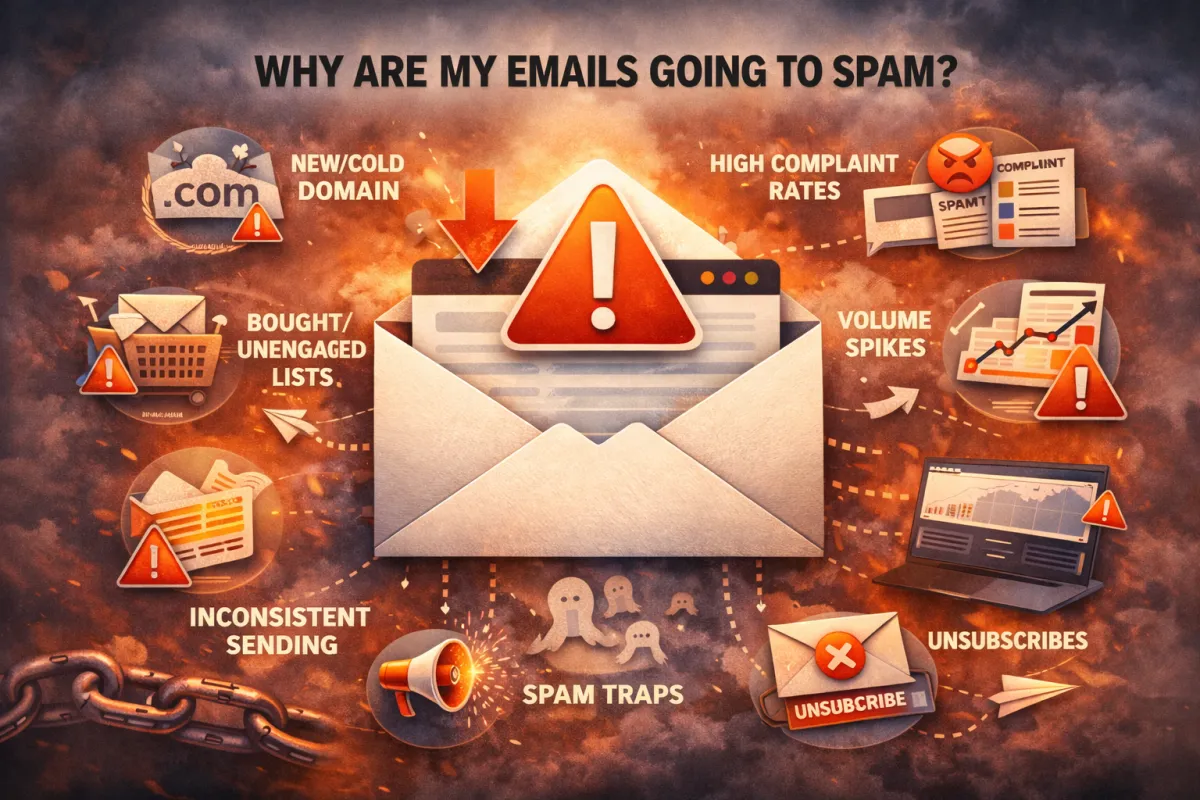
Reason 1: You’re Using a “Cold” or Brand New Domain
You bought a shiny new domain on Monday.
You sent thousands of emails from it on Wednesday.
From the inbox’s perspective, that’s… suspicious.
New domains have no history, no trust, no engagement. If you push too much volume too fast, providers assume you’re a spammer who just burned the last domain.
Result:
- Spam folder
- Rate limiting
- Soft bounces
- Long-term damage to that domain
Reason 2: Your SPF/DKIM/DMARC Are Misconfigured (Or Missing)
- Sometimes brands don’t even realise:
- DNS records are outdated
- Multiple tools are fighting over SPF entries
- DKIM isn’t set up for all sending platforms
- DMARC isn’t configured, so there’s no clear policy
If the inbox can’t authenticate you cleanly, your emails get downgraded or filtered—no matter how good they look.
This is one of the most common hidden answers behind “why are my emails going to spam?”
Reason 3: You Bought or Revived a Bad List
If your list comes from:
- Old exports from five tools ago
- Events from three years back
- Purchased databases with “targeted leads”
…you’re almost guaranteed:
- Higher bounce rates
- More spam complaints
- Low open and click rates
To an inbox provider, that looks like spray-and-pray behaviour.
Spam filters don’t care that you “paid good money” for that list.
Reason 4: You Send Inconsistently (Big Blasts After Silence)
You go quiet for weeks. Then you suddenly:
- Announce a big sale
- Launch a new feature
- Try to “re-engage everyone” in one hit
That sudden spike from your domain/IP can trigger:
- Throttling (slowed delivery)
- Temporary filters
- Spam placements, especially for borderline-engaged users
Consistency and predictability are deliverability superpowers.
Reason 5: Your Complaint Rate Is Too High
A small number of “This is spam” clicks can sink your deliverability.
Typical triggers:
- Misleading or clickbait subject lines
- Sending to people who don’t remember subscribing
- Over-emailing new subscribers
- Aggressive sales copy right out of the gate
Every complaint is a vote against your reputation. Enough votes, and your emails start at a disadvantage.
Reason 6: Your Content Looks Like Classic Spam
Spam algorithms are smarter than just “free money” filters, but content still matters.
Risky patterns:
- ALL CAPS SUBJECT LINES!!!
- Too many images and not enough text
- Lots of shortened or shady-looking links
- Heavy use of “urgent, buy now, limited time” language
- Attachments from unknown senders
No, you don’t need to write like a robot. But if your content looks like mass promo and your behaviour is aggressive, spam filters will happily believe the worst.
Reason 7: You’re Sending to the Wrong People
If your list is full of:
- People outside your ideal customer profile
- Contacts who never engage with your type of content
- Idle accounts and role-based emails like info@, admin@, sales@
…you’re training inbox providers to think:
“People don’t care about this sender.”
Low engagement = weak reputation = more spam.
Even a clean technical setup can’t survive months of sending to the wrong audience.
Reason 8: Your Volume Spikes or Scaling Strategy Is Too Aggressive
This is especially common in cold email and big promotions.
- You scale from 200 emails/day to 2,000/day overnight
- You add new mailboxes and tools too quickly
- You suddenly hammer a new geography or segment
Inbox providers don’t like sudden, unexplained spikes. They reward gradual, predictable growth with good engagement, not volume for its own sake.
Reason 9: Your Past Behaviour Is Haunting New Campaigns
You might have:
- Previously blasted unverified lists
- Sent a lot of irrelevant promotions
- Triggered higher-than-normal bounces or spam complaints
Even if you’ve “cleaned up your act,” the reputation damage can linger.
This is why some teams say:
“We changed our content, but our emails are still going to spam.”
At that point, you’re not just fixing content - you’re rebuilding trust.
PART 3: How to Stop Emails Going to Spam (A Priority Checklist)
Now let’s answer the real question:
How to stop my emails going to spam—starting this month, not “someday.”
Here’s the order we use when fixing real client setups.
Step 1: Fix SPF, DKIM and DMARC
Don’t skip this.
- Make sure every platform that sends email for you (ESP, CRM, support tool, cold email tool) is properly included in SPF.
- Enable DKIM for each of them so emails are signed correctly.
- Set up DMARC with at least a monitoring policy (p=none) to start, then tighten as your setup stabilises.
Once this is done, many inboxes will start giving you the benefit of the doubt again.
Step 2: Warm (or Re-Warm) Your Domain Properly
If you’re using a new domain or recovering from damage, treat it like rehab.
- Start with low, consistent volume.
- Focus on likely engagers first (recent buyers, active users).
- Encourage positive actions: opens, clicks, replies.
Slowly increase daily/weekly volume as engagement stays healthy.
For cold email domains, this is non-negotiable. A “brand new domain + big volume” approach is almost guaranteed to end with emails going to spam.
Step 3: Clean and Segment Your List
List cleaning is not sexy. It is effective.
- Remove hard bounces and known bad addresses.
- Suppress unengaged contacts after a defined period (e.g. 90–180 days with zero opens).
- Separate highly engaged, warm, and cold segments.
- Do not blast the cold segment with the same frequency or aggressiveness.
Better to send to half the list and get 25%+ opens than to hit everyone and drag down your averages.
Step 4: Adjust Frequency and Content Style
Once your technical foundation and list are under control, refine how you send.
- Choose a predictable cadence (e.g. 1–3x/week depending on your model).
- Avoid sudden surge sends—especially on old or cold segments.
- Reduce overly “hard sell” campaigns with nothing but discount pitches.
- Shift a portion of your email calendar towards value + education + story, especially in between promotional pushes.
The goal isn’t just “avoid spam words.”
The goal is to train inboxes:
“When this sender emails, people pay attention.”
PART 4: When It’s Worth Bringing In a Deliverability Specialist
You can DIY a lot of this.
But there are clear scenarios where guessing is more expensive than getting help.
You should seriously consider a specialist if:
- You’re sending cold email at any real scale (multiple domains, thousands of emails/day)
- You run a SaaS, ecommerce, or app business where email is a major revenue channel
- Your list is large and valuable, but open rates have crashed and didn’t recover after basic fixes
- You’re juggling multiple tools (Klaviyo, Braze, HubSpot, cold email tools, CRMs) and you’re not sure how they all affect each other
- Your team is wasting time swapping subject lines while core infrastructure is still broken
A good deliverability specialist will:
- Audit your DNS, domains, IPs and sending tools
- Run real-world deliverability and inbox placement tests
- Build a domain + warm-up strategy appropriate for your volume
- Redesign list structure and segmentation around engagement
- Help you create sending rules your whole team can follow
- Instead of you trying random tweaks, they give you a roadmap.
PART 5: If Your List Is Valuable, Guessing Is Expensive
If you’ve read this far, there’s a good chance of three things:
- You rely on email for revenue—sales calls, upgrades, purchases, renewals.
- You’re seeing emails going to spam or Promotions and you know something is off.
- You don’t have the time (or desire) to live inside DNS, seed tests, and deliverability dashboards every week.
That’s exactly where we come in.
We run structured deliverability audits and fixes for:
- SaaS and product companies
- Ecommerce and subscription brands
- B2B teams doing cold outbound at scale
Our process usually includes:
- A full review of your domains, IPs, SPF/DKIM/DMARC and tools
- Real inbox placement testing beyond just “spam scores”
- A clear prioritised list of changes to get you out of spam and into primary inboxes
- Guidance (or done-for-you implementation) on warm-up, list hygiene, and sending patterns
- Ongoing monitoring if you want someone watching the health of your email channel long-term.

If your list is valuable and you can’t afford to guess, this is one of the highest-ROI fixes you can make
You don’t need another experiment. You need a clear yes-or-no on whether deliverability is the thing undercutting your effort—and what fixing it actually takes.
FAQs
1. Why are my emails going to spam even though people opted in?
Because inboxes judge your behaviour and engagement, not just how people joined. If your open rates are low, your complaint rate is high, or your authentication is broken, even opt-in emails can get filtered.
2. How long does it take to fix deliverability problems?
Basic fixes (SPF/DKIM/DMARC, list cleaning) can show improvement within a few campaigns. Rebuilding reputation and warming up domains properly usually takes weeks, not days—but the results are much more stable.
3. If I change my subject line, will that fix it?
Not if the underlying issues are technical or reputation-based. Subject lines matter, but they are icing, not the cake. Focus first on authentication, list quality, and sending patterns.
4. Should I use a different domain if my current one is burned?
Sometimes, yes but only with a proper warm-up plan. Jumping to a new domain without changing your behaviour just resets the clock on a problem that will come back.
5. Can’t I just use one of those email spam testing tools and call it a day?
Spam testing tools are helpful, but they’re only a diagnostic, not a solution. They don’t manage your domains, fix your list, or change how you send. Use them as part of a broader deliverability strategy—not a replacement for one.
© High Performing Emails, The Grow Revenue Company Inc. 2026 All Rights Reserved.